
Download the correct PS2 BIOS for your emulator and game region below. Each file is clearly labeled by region and SCPH model so you can choose the right version for PCSX2 or AetherSX2 without confusion.
Using the proper region BIOS prevents red screen errors, black screens, and boot failures. Match your BIOS region with your game ISO region for the best compatibility.
Download PS2 BIOS Files for All Regions – USA, PAL, NTSC, NTSC-J

SCPH-70012 (USA)
60Hz North American version, widely used for PCSX2 testing
SCPH-39004 (Europe)
50Hz European version, required for PAL game ISOs
SCPH-10000 (Japan)
60Hz Japanese version for JP exclusive titles
SCPH-90006 (China)
60Hz Chinese region BIOS version designed for China release PS2 titles.
Supported SCPH Models
- SCPH-30000
- SCPH-39001
- SCPH-50000 series
- SCPH-70012 (Slim)
Each BIOS file is:
- Correctly labeled by region and version
- Structured for quick setup inside PCSX2 and AetherSX2
- Ready to place in your emulator’s BIOS folder
Before downloading, confirm your game’s region. Selecting the correct BIOS version takes less than a minute and prevents most setup errors.
Choose your region below and proceed with the download.
Common PS2 BIOS Errors and How to Fix Them
If your PS2 BIOS is not set up correctly, the emulator will show errors before or during gameplay. Most problems are simple to fix once you understand the cause. Below are the most common BIOS related issues in PCSX2 and AetherSX2, along with clear solutions.
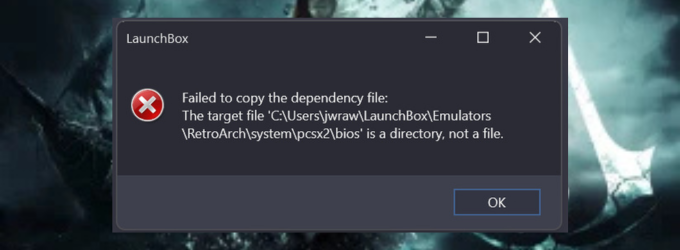
BIOS Not Found Error
This error appears when the emulator cannot detect any BIOS file.
Why it happens:
- BIOS files are not placed inside the correct folder
- Files were renamed
- The dump process was incomplete
How to fix it:
- Move all BIOS files into the official BIOS directory used by PCSX2
- Restart the emulator and rescan the folder
- Make sure multiple BIOS files are present, not just one file
- After placing the files correctly, reopen the BIOS selector and confirm the version appears in the list.
Red Screen Issue
A red screen usually appears when the BIOS region does not match the game region.
Why it happens:
- NTSC U BIOS used with PAL game
- Corrupted BIOS file
- Damaged ISO file
How to fix it:
- Match BIOS region with the ISO region
- Re verify the BIOS file using an MD5 or CRC check
- Test with another ISO file to rule out game corruption
Region mismatch is the most common cause of this error.
Invalid or Corrupted BIOS File
The emulator may display an “Invalid BIOS” message during setup.
Why it happens:
- File was modified
- Download was incomplete
- Archive was extracted incorrectly
How to fix it:
- Delete the BIOS file
- Re dump it from your own PS2 console
- Avoid renamed or compressed BIOS files
A valid BIOS should load automatically in the selection menu without warnings.
CRC Mismatch Error
This error means the file checksum does not match known valid BIOS values.
Why it happens:
- File corruption during download
- Partial file transfer
- Modified firmware
How to fix it:
- Run an MD5 or CRC check again
- Compare the result with a verified value
- Replace the file if the hash does not match
Even a small file change can cause a CRC mismatch.
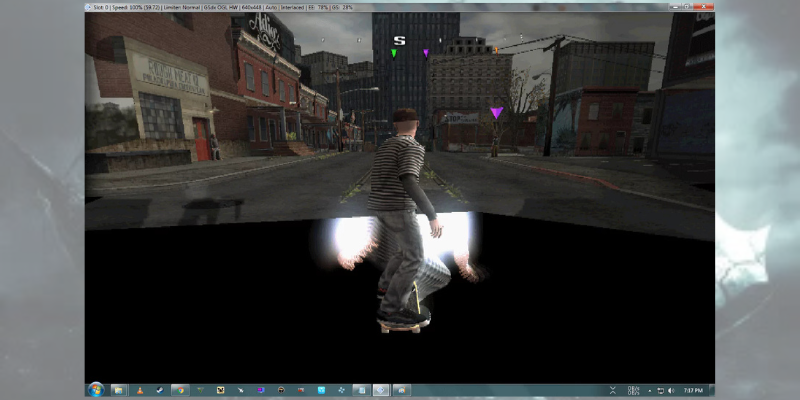
Black Screen After Boot
The emulator launches but shows a blank screen when starting a game.
Why it happens:
- BIOS is detected but not compatible
- Graphics settings are misconfigured
- ISO file is damaged
How to fix it:
- Try a different BIOS version such as SCPH 39001 or 70012
- Reset graphics settings to default
- Test another game file
If the BIOS loads properly in the selector menu but games still fail, the issue is often related to graphics configuration rather than the BIOS itself. Most PS2 BIOS errors are caused by incorrect file placement, region mismatch, or corrupted files. Fixing these basic issues usually restores normal gameplay.